Originally published March 2014. Fully rewritten April 2026 to reflect the move from AdWords to Google Ads, the shift from Universal Analytics to GA4, and the rebrand to Ark Advance.
Some business decisions drag on for weeks. With the right measurement tools in place, most of them should take about five minutes.
As a business owner you face a steady stream of questions. Where do I get the best return on my advertising? What should I do with a bit of spare cash? Which part of the business is most worth doubling down on?
Questions like these can sit with you for a long time if you don’t have the data to answer them. Once the right measurement tools are set up, answers that used to take hours should come back in minutes.
A personal example
A while back I was left a small amount of money. Nothing amazing, just enough to make me think twice about what to do with it. The lazy option was to send it to the bank and chip away at my Auckland-sized mortgage.
I decided to spend a bit of money to learn how to spend the money, so I had a chat with my accountant. He’s a keeper. Within a few minutes he produced a report on his laptop showing the effective return on three options: paying down the mortgage, putting it on term deposit, or investing it back into the business.
The difference between the three was startling. The money was quickly diverted into Ark Advance to drive some much-needed marketing.
That’s what happens when you’ve got the right measurement tools in place. Once they’re set up, the decisions that flow from them can be made in minutes rather than weeks.
The same principle applies to online marketing
The tool that answers a sizable chunk of online marketing questions is the one we talk about every month — Google Analytics. A day doesn’t go past without me peering into GA4 reports to help a client squeeze a bit more effectiveness out of their spend.
Once GA4 is properly linked up to Google Ads and any other traffic sources the site is receiving, a range of complicated questions start becoming quick to answer.
Where should we put the extra spend?
A client came to us recently wanting to increase their online spend by a substantial amount — think thousands of dollars a month. Their cost per lead online was a fraction of what they were seeing from radio, print, and TV, so all three got shaved and the excess came our way.
The question was: where’s the best place to put these extra funds to get the greatest return?
We had the answer nailed in less than five minutes.
The client was already running Google Ads across a range of campaigns. All of them were converting at an acceptable rate but, as always, a few were the stars. We looked at those top performers, pulled up the impression share data, and spotted that three campaigns were losing clicks because their budget kept running out. The reports then told us roughly how many extra clicks we’d pick up if we lifted each budget.
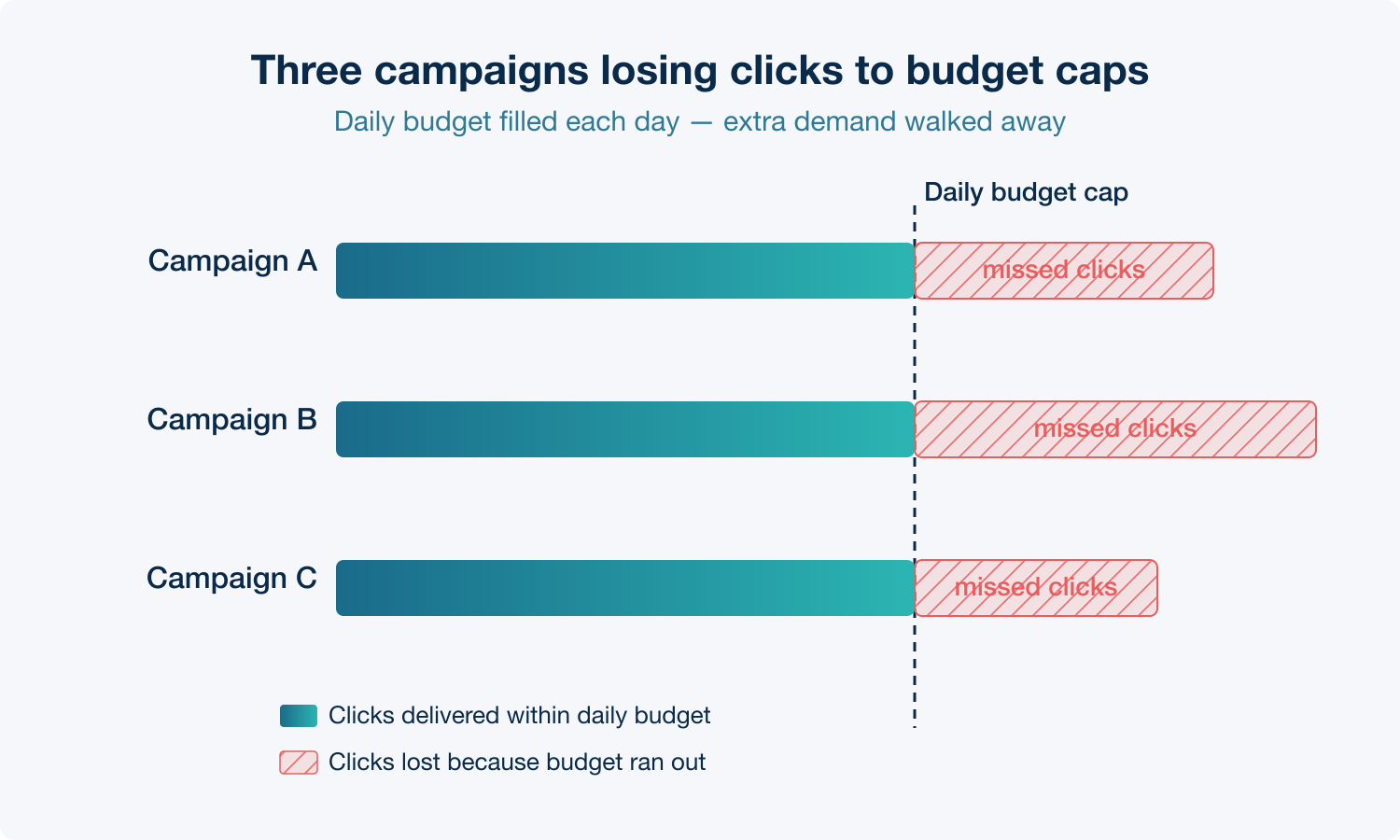
We spread the extra spend across those three campaigns and moved their click share close to 100% of the available search traffic. GA4 had already told us these campaigns converted well on the site, so — all things being equal — the extra traffic should produce more leads at a similar cost per lead.
Which is exactly what happened once the lifted budgets had a few weeks to run.
What this looks like inside GA4
GA4’s acquisition reports pull paid channel spend together with on-site behaviour and conversions. Once your Google Ads account is linked, you can see cost, clicks, lead volume (or revenue, for e-commerce sites), and the resulting cost per conversion at a campaign level. It’s the report I look at most often when a client asks “where should the next dollar go?”
If you had any spare cash hanging around in the business — or under the bed — a report like that tells you pretty quickly where to put it.
Without that kind of measurement, the guesswork creeps back in. You’ve probably heard the old marketing line: “I know that 50% of my marketing is wasted. I just don’t know which 50% it is.” That’s the voice of someone whose measurement setup isn’t doing its job. GA4 is free, Google Ads data is easy to link in, and the decisions that fall out the other side are worth a lot more than the time it takes to set it up.
The 29-page report problem
A client walked in yesterday with a 29-page PDF from another agency they also work with. Graphs, tables, commentary, screenshots. Thorough. And, as far as I could tell, next to useless.
The issue isn’t the data — most of it was probably fine. It’s that nobody reading the report can tell what they’re supposed to do next. By page 14 you’ve forgotten what was on page 3, and the one piece of information that might actually change a decision is buried somewhere between a pie chart and a traffic sources table.
Good analysis goes the other way. The headline goes first, one paragraph or even a single sentence: here’s what we found and here’s what we recommend doing about it. The data sits behind it as backup for anyone who wants to check the working. Read only the first paragraph and you’ve already got the decision. Want to dig in? The detail is there.
A 29-page report tells you the agency has been busy. A one-paragraph recommendation with a page of supporting data tells you they’ve actually done the thinking.
Find out more about our website analytics and reporting services. Or if you’d rather get straight to making faster, better-informed marketing decisions, get in touch.