Originally published March 2017. Fully rewritten March 2026 to reflect how Google Shopping works today.
Google Shopping puts your products directly into search results with images, prices, and star ratings — right where buyers are looking. It’s one of the most effective ways for New Zealand retailers to reach people who are already in buying mode. Here’s how it works and how to tell if it’s right for your business.
What Google Shopping Looks Like in Search Results
If you’ve searched for a product recently, you’ve almost certainly seen these. Type something like “garmin fenix watch nz” into Google and the first thing you see — before any text ads, before any organic results — is a strip of product images with prices and retailer names.
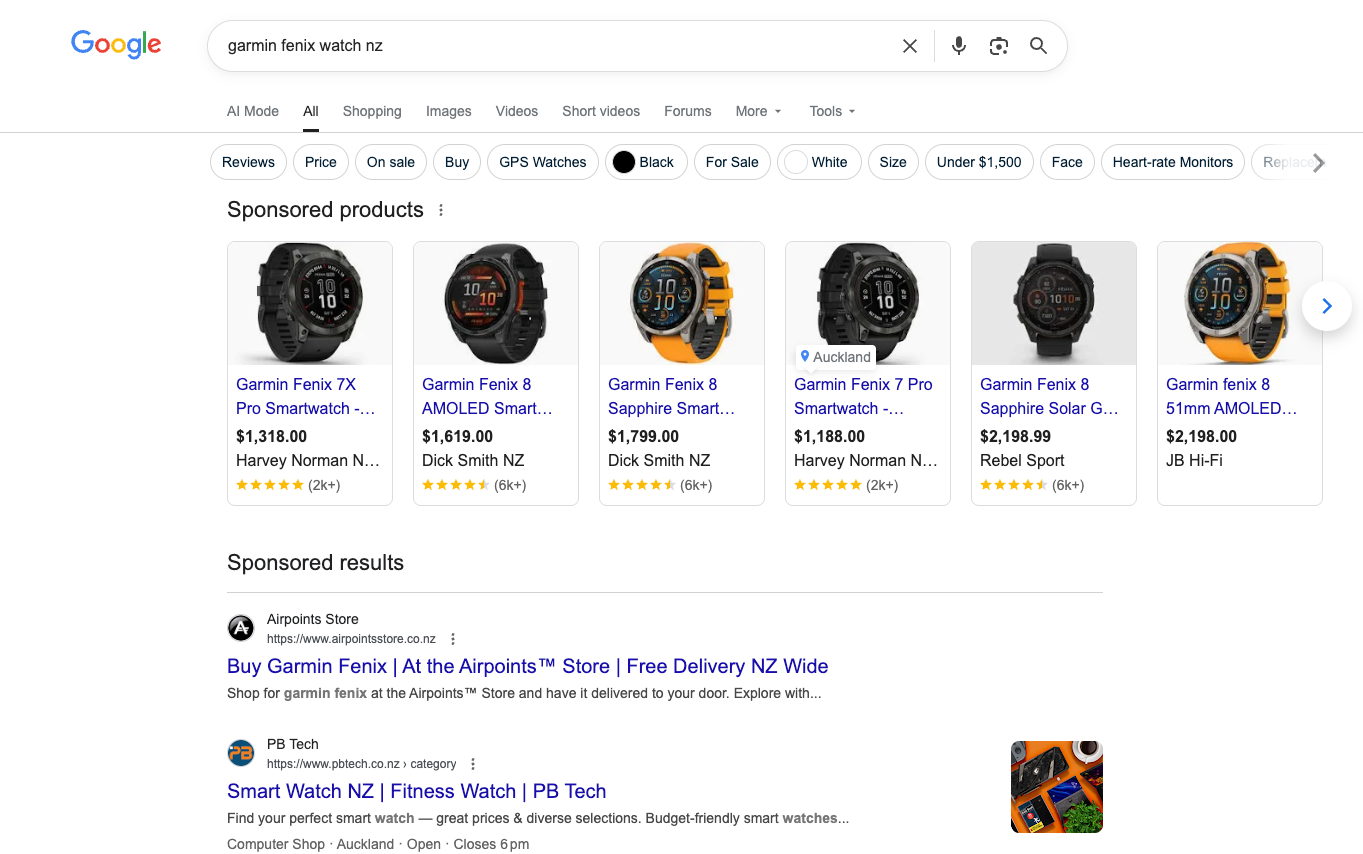
Google Shopping ads appearing for “garmin fenix watch nz” on desktop — product images, prices, and retailers displayed before anything else.
On mobile it’s even more dominant. The Shopping carousel fills the entire screen before you scroll to anything else.
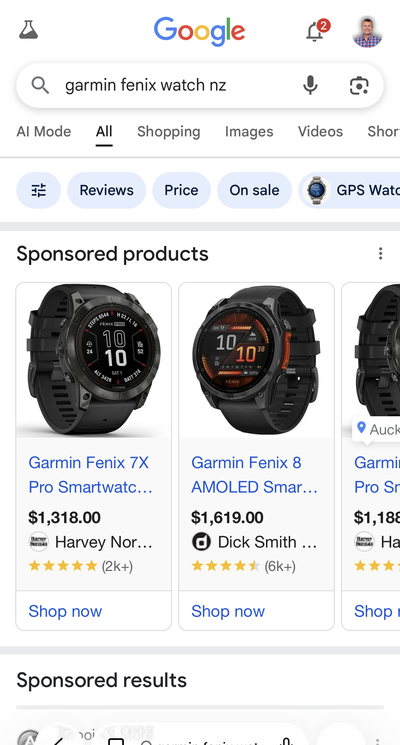
The same search on mobile — Shopping ads take up the full screen before any other results appear.
This is Google Shopping. And if you sell physical products online, it’s hard to ignore.
How Google Shopping Works
Google Shopping is different from regular search ads. You don’t bid on keywords and write ad copy. Instead, Google pulls your product information — images, titles, prices, availability — from a data feed and decides when to show them.
Here’s what’s involved in getting set up:
Google Merchant Center is where your product data lives. You connect your e-commerce platform (Shopify, WooCommerce, BigCommerce — most major platforms have integrations) and Google pulls your product catalogue through a feed. This feed updates automatically so your ads reflect current pricing and stock levels. No advertising out-of-stock products.
Performance Max campaigns are how most Shopping ads run today. Google retired standalone Shopping campaigns a few years back and folded them into Performance Max — a campaign type that uses machine learning to show your products across Search, Shopping, Display, YouTube, and more. You set a budget and a target return on ad spend, and Google handles the placement.
Free listings are the part most people don’t know about. Since 2020, Google has offered free product listings alongside the paid ones. If your products are in Merchant Center, they can appear in the Shopping tab and sometimes in main search results without you spending a cent on advertising. The paid ads get the prime positions, but free listings are a genuine bonus.
When Google Shopping Works Well
Not every business should be running Shopping ads. Here’s where we see it work:
You sell products that people search for by name. If someone types “Garmin Fenix 8” they know what they want. They’re comparing prices and retailers. Shopping ads put you in that comparison instantly.
Your pricing is competitive. This is the double-edged sword of Shopping. Your price is right there next to your competitors’. In the screenshot above you can see the same watch ranging from $1,188 to $2,198 across different retailers. If you’re the most expensive and don’t have strong brand recognition, those impressions might work against you.
You have a decent product catalogue. Shopping campaigns get better with more products because Google has more opportunities to match your products to searches. A single-product business can still run Shopping, but the economics improve with scale.
Your margins support the cost per click. Shopping clicks tend to convert at a higher rate than regular search ads because the buyer has already seen the product, the price, and the retailer before clicking. But you still need the margin to support the advertising cost.
When It Doesn’t
You sell services, not products. Google Shopping is strictly for physical products with prices. If you’re a plumber or a lawyer, this isn’t for you — stick with regular search ads.
Your products are custom or one-off. If every job is quoted individually and there’s no fixed price, Shopping doesn’t have a way to represent that.
You can’t maintain a clean product feed. Stale feeds with wrong prices, out-of-stock items, or poor product images will get your Merchant Center account suspended. If you don’t have the systems to keep the feed accurate, Shopping will cause more problems than it solves.
What We’ve Seen Running Shopping Campaigns
The biggest surprise for most of our clients is how different the economics are from regular search ads. Shopping clicks often cost less than text ad clicks for the same products, and they convert at a higher rate because the buyer has already qualified themselves — they’ve seen the product, the price, and decided to click anyway.
The biggest trap is treating it as set-and-forget. Product feeds need monitoring. Merchant Center throws up disapprovals regularly — an image that doesn’t meet specs, a price mismatch between your site and the feed, a shipping configuration that’s slightly off. Someone needs to be watching.
Performance Max has made the campaign management side simpler, but it’s also made it harder to see exactly where your budget is going. We spend more time now on feed quality and product grouping than on campaign settings — which, honestly, is where the real leverage is.
Is Google Shopping Right for You?
If you sell physical products online in New Zealand and your pricing is competitive, Google Shopping should be part of your advertising mix. The combination of paid Shopping ads and free listings means you’re getting visibility even when you’re not paying for every click.
If you’d like to explore whether Shopping campaigns make sense for your business, get in touch with our team. We manage Google Ads for retailers across New Zealand and can assess whether your product catalogue and margins make Shopping a smart investment.